1. Server
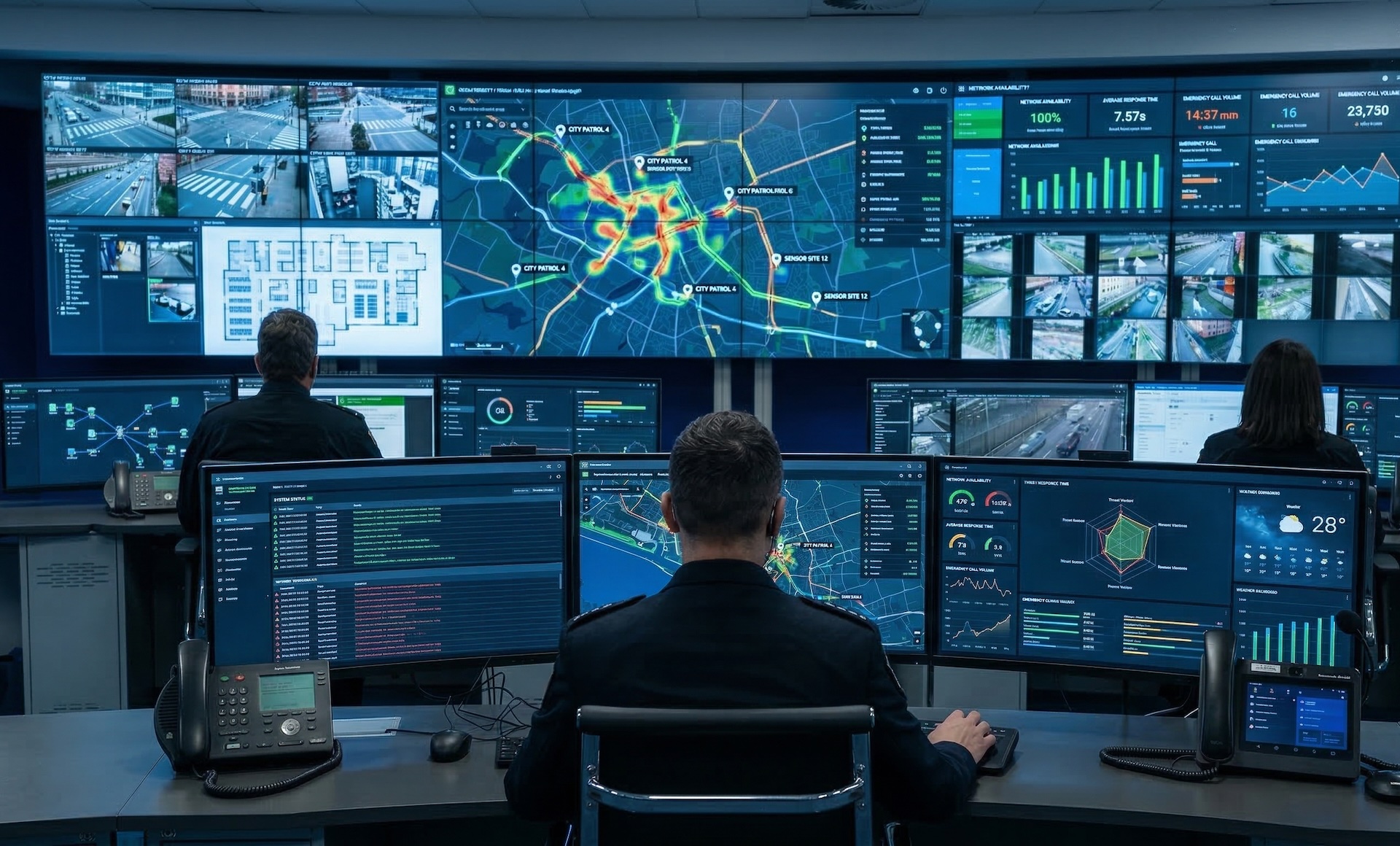
The management and coordination layer. Manages sources, layouts, users, and connected devices across the entire control room from a single web interface.
Control Room Software
Control room software is a centralized platform that organizes and distributes the video sources and data of a control room across video walls and operator workstations. WallNext replaces the separate management of matrices, KVM and standalone applications with a single layer of command.
Definition
Dozens of heterogeneous sources converge in a control room: cameras, SCADA systems, application dashboards, IP streams, remote workstations. Bringing them into a single, governable environment is the job of the platform, and it calls for a specific set of functions.
It collects physical AV signals and IP streams from plants, cameras and applications, and makes them available as sources throughout the room.
It composes the layouts on the video wall and handles windows, scenarios and configuration changes in real time, without interrupting operations.
It brings the same sources to the operator workstation, with direct control over what is displayed and what is sent to the video wall.
It turns complex sequences, such as activating an emergency scenario, into a single repeatable command with no room for error.
It provides redundancy and failover: in an environment that runs 24 hours a day, an unavailable visualization system is not an option.
It governs who accesses which sources, integrates with corporate logins and records every action in a readable audit log.
Evaluation criteria
When spec sheets look alike, these six questions help bring out the differences before you choose.
A platform built on proprietary controllers also ties the life cycle of the system to a single vendor's price list. The supported architectures are the first thing to look at.
Redundancy is measured by how many levels it covers, by how the backup unit takes over and by how long the interruption lasts as the operator experiences it.
The number of outputs, workstations and sites that can be connected determines how many years the investment will remain adequate. Scalability is assessed up front, not at the second expansion.
Supported codecs, network protocols, integration with VMS, SCADA and KVM already installed. A missing integration turns into a separate development project.
Role-based profiling, SSO and LDAP integration, complete audit log. In regulated environments, traceability of actions is not an accessory.
The video wall controller is the hardware node that processes and distributes the signals. Control room software is the logical layer that decides which sources to show, in which layout, to which operators and at what moment. A complete system needs both, and they are evaluated as two distinct components.
Solution
WallNext control room software is built around three core components that manage every layer of the operational environment. Each module handles a distinct function: together they form a full, integrated platform.
The management and coordination layer. Manages sources, layouts, users, and connected devices across the entire control room from a single web interface.
The operator environment. A flexible multi-monitor desktop with personalised access to every source, application, and tool, from any workstation.
The rendering engine. Drives video walls and displays at full performance, from a single monitor to a 64-output wall, on Matrox or Nvidia hardware.
A fully customisable command interface that extends the platform with one-touch control of layouts, sources, room infrastructure, and external devices. Browser-based, with Android tablet support.
The Server is the management and coordination layer of the platform. It manages all connected clients, sources, layouts, and user permissions from a single web interface accessible from any device in the network.
Layouts can be scheduled to activate automatically at defined times: shifts, recurring operational routines, and planned transitions run without manual action. Administrators define the schedule once; the platform handles execution.

Integrates with corporate identity providers. Operators log in with existing enterprise credentials, no separate accounts to manage.
Granular permissions define what each operator can see and control. All activity is recorded in a tamper-proof audit log.
A synchronised secondary Server stays aligned with the primary and ready to take over if it goes offline. Automatic failover is handled by the supervisor module (coming soon).
Workspace is the operator's desktop. Each user gets a personalised multi-monitor environment with direct access to IP cameras, dashboards, remote desktops, and applications, organised the way they work.
Log in from any workstation in the network and your environment is ready instantly. Operators are not tied to a physical seat, which means the same platform supports a centralised control room, a remote shift, or a distributed crisis environment.
IP cameras, RDP, VNC, dashboards and applications all accessible within a single operator interface, organised the way they work.
Switch keyboard and mouse control between any source or remote desktop directly from the Workspace interface.
Each workspace shows only the sources and tools the operator is authorised to use. Permissions managed centrally from the Server.
WallNext Player is the video wall management software that renders all content on displays, video walls, and LED walls with full-performance decoding. Run it as software-only on a standard Windows PC, or pair it with Matrox hardware for large-scale deployments with dozens of simultaneous 4K streams.
No proprietary hardware: compatible with Matrox Mura and Nvidia architectures. A backup Player instance synchronises in real time and stays ready to take over if the primary goes offline. Automatic failover is handled by the supervisor module (coming soon).
Handles physical signals (HDMI, DisplayPort) and IP streams (H.264, H.265, RTSP, SRT, RDP) simultaneously on the same video wall.
Full-performance rendering up to 4K/UHD for real-time feeds. Compatible with Matrox Mura and Nvidia architectures.
A synchronised backup instance stays aligned with the primary in real time, ready to take over if it fails. Automatic failover is handled by the supervisor module (coming soon).
The Action Panel gives each operator a configurable command interface. Buttons and panels trigger multi-step actions instantly: switch a layout, change all sources, activate an alert, control room infrastructure, all without navigating menus.
Browser-based and device-agnostic. Deploy it as a panel on a desktop screen or an Android tablet mounted to the wall. Each operator, room, or workflow has its own configuration.
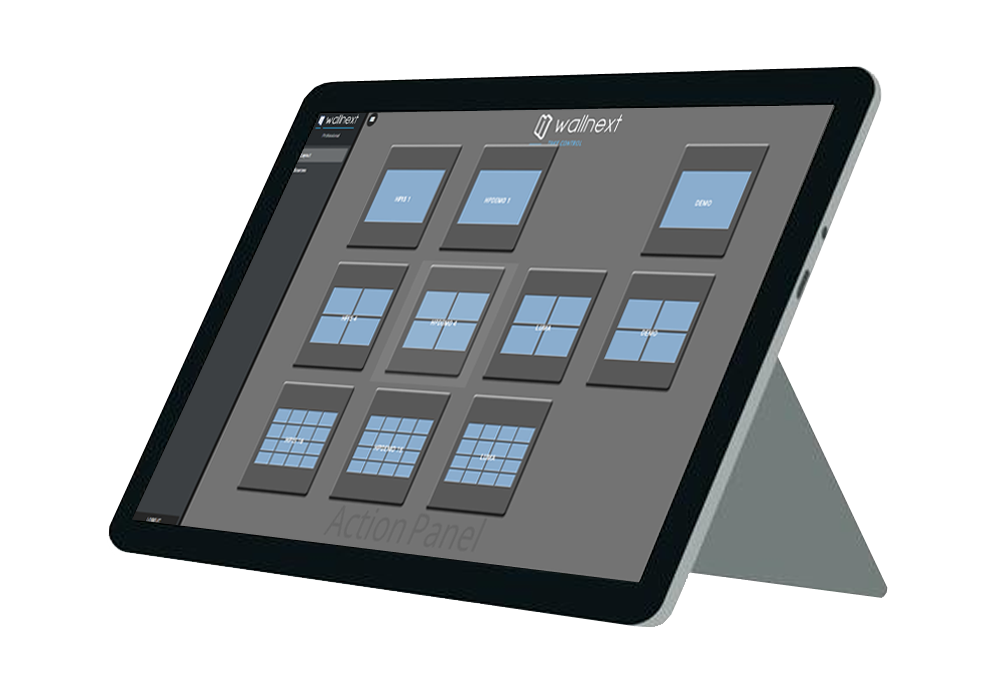
Panels are built entirely in the admin interface. Any administrator can create, modify, or reassign a panel without writing a single line of code.
Trigger network commands to control room infrastructure: lighting, screens, and third-party devices, from a single button.
Each operator, room, or scenario gets its own panel layout. One installation supports many independent configurations running simultaneously.
WallNext Control room software
Capabilities shared across all modules, designed from the ground up for environments where availability, security, and integration are non-negotiable.
Two-level independent redundancy at Server and Player tiers. Synchronised backup units ready to take over from the primary. Automatic failover is handled by the supervisor module (coming soon). Designed for 24/7 operation.
Granular role-based access. Operators access only their assigned sources, layouts, and devices. SSO and LDAP for enterprise environments. Full audit log of all activity.
Compatible with Matrox Mura and Nvidia. Supports physical AV signals (HDMI, DisplayPort) and IP streams (H.264, H.265, RTSP, RDP, VNC, SRT) simultaneously.
Remote workstations, crisis rooms, and training environments share the same real-time operational layer over standard TCP/IP networks.
WallNext Control Room Software
Control room: general questions
Control room software is a centralized platform that organizes and distributes the video sources and data of a control room across video walls and operator workstations. It replaces the separate management of matrices, KVM and standalone applications with a single layer of command.
A control room is the environment from which an organization monitors and governs a critical infrastructure in real time: a network, an industrial plant, a transport system, a security perimeter. It brings together operators, information sources and shared visualization systems, typically a video wall, to maintain a common picture of the situation.
A control room operator continuously monitors the state of the assigned systems, recognizes anomalies and abnormal events, applies the established procedures and coordinates the response with field teams. They work in shifts, often around the clock, and need fast access to the relevant sources and the ability to bring them to their colleagues on the video wall.
The video wall controller is the hardware node that acquires the signals, processes them and physically distributes them to the displays. Control room software is the logical layer that decides which sources to show, in which layout, to which operators and at what moment. A complete system requires both, and they are evaluated as two distinct components.
WallNext: product questions
WallNext is an open software platform for mission-critical operations structured into three core modules: WallNext Server (orchestration), WallNext Workspace (operator environment) and WallNext Player (video wall visualization). An optional Action Panel add-on provides customisable one-touch command interfaces.
WallNext Server is the central orchestration layer managing all sources, layouts, users and devices. WallNext Workspace is the operator environment on standard Windows workstations. WallNext Player is the rendering engine driving video walls and displays.
The Action Panel is an optional add-on providing a fully customisable command interface. Operators trigger multi-step actions with a single touch. Browser-based with Android tablet support.
Yes. WallNext supports two-level independent redundancy at Server and Player tiers. Synchronised backup units stay aligned with the primary and ready to take over in the event of a failure. Automatic failover is handled by the supervisor module (coming soon).
WallNext requires no proprietary hardware. Compatible with Matrox Mura and Nvidia architectures. Supports physical inputs (HDMI, DisplayPort) and IP streams (H.264, H.265, RTSP, RDP, VNC, SRT).
Yes. WallNext Workspace allows operators to connect from any location over standard TCP/IP networks, with full real-time access to sources, layouts and devices.
A video wall controller manages video routing on a display wall. WallNext manages the entire operational environment: video wall, operator workstations, sources, user permissions and automations, from a single unified platform.
Yes. WallNext is available as a software licence for system integrators who assemble their own hardware using Matrox or Nvidia components. A complete hardware plus software solution is also available through our distribution partner for European markets.
Request a demo and discover how WallNext manages every layer of your mission-critical operations.
Request Demo