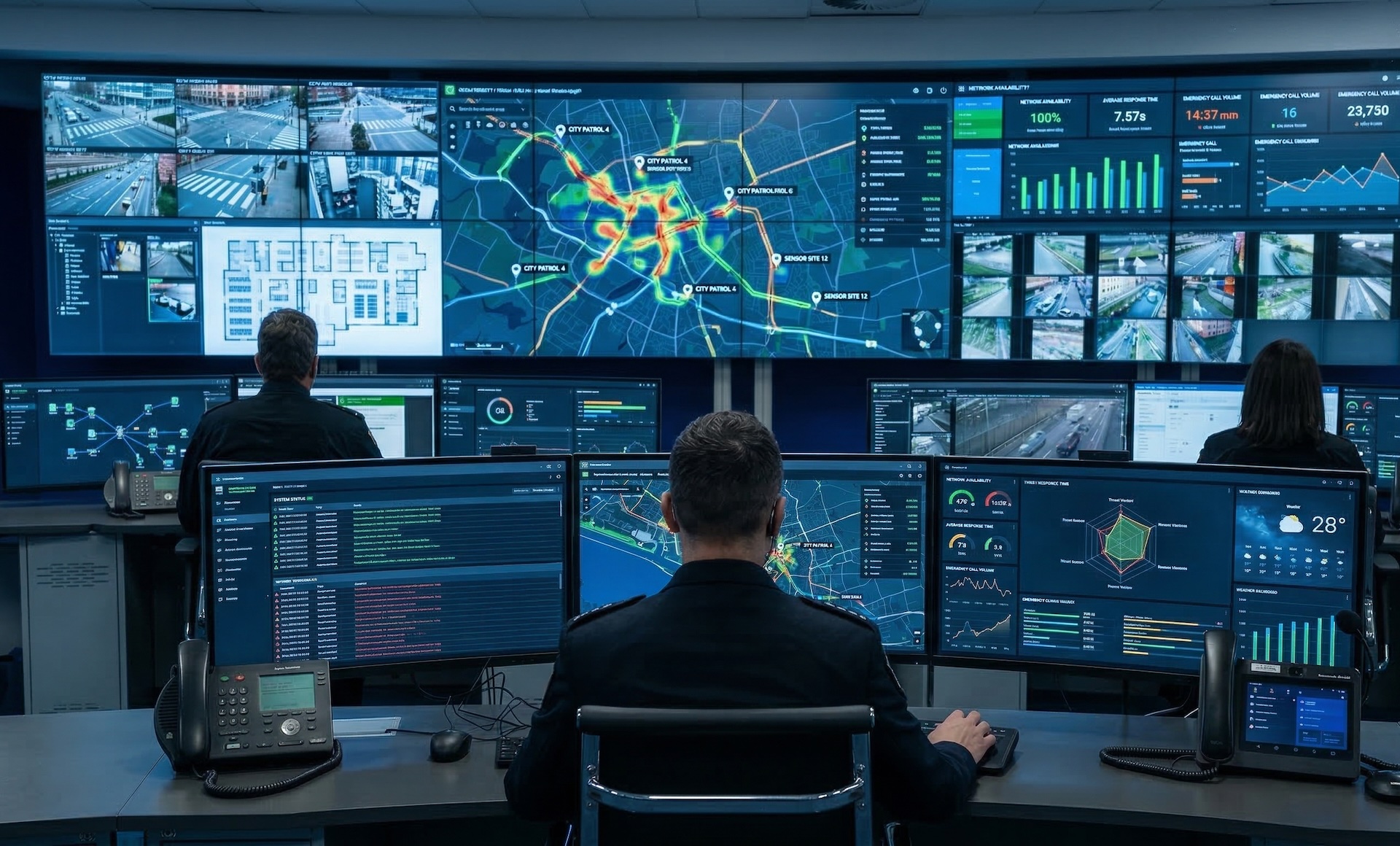
WallNext Server
The administration layer: sources, operator profiles, layouts, permissions and audit log. It runs on a dedicated Windows server or a virtual machine. A synchronised backup copy stays ready to take over in the event of a failure.
Solutions / Crisis Room
WallNext synchronises video wall, workspaces and operational sources in an environment built to coordinate decisions, communication and operational response quickly.
Crisis rooms and emergency coordination centers are activated under pressure, often at irregular intervals, by people who may not be their regular occupants. Response managers, senior executives, external agencies and communications teams need immediate access to the same situational picture the operational team has: camera feeds, real-time monitoring dashboards, GIS maps, status systems and active communications.
The technology in a crisis room cannot require configuration time, cannot depend on specialist operators to be brought online, and must not fail at the very moment it is needed most.

When the crisis room is managed by the same WallNext Server as the main control room, activating it requires no physical intervention in the room itself. A supervisor, or any authorised operator on the network, triggers the activation: the video wall displays the pre-defined emergency layout, the relevant sources appear, and the room is operational.
Decision-makers walk in and log in to their stations. Their environment is already there: the sources, the dashboards and the tools their profile assigns for an emergency. The same infrastructure that runs the main control room runs both rooms, with no additional Server.

Activation is a scheduled layout switch. The video wall goes live with the emergency configuration before the first response manager reaches the door.
A single WallNext Server manages the main control room and the crisis room together, with no systems to duplicate, no additional licensing and no separate installation.
The crisis room accesses the live sources, dashboards and data streams of the main control room. Decision-makers see what the operational team sees, in real time.
The WallNext platform
WallNext manages the video wall, operator workstations and source administration in a single environment. Redundancy across Server and Player, SSO and LDAP login, an audit log of every operation and compatibility with Matrox and Nvidia hardware are native platform features.
The administration layer: sources, operator profiles, layouts, permissions and audit log. It runs on a dedicated Windows server or a virtual machine. A synchronised backup copy stays ready to take over in the event of a failure.
The video wall rendering engine. It handles IP streams and physical signals at full resolution. With a Matrox Mura card it adds dedicated hardware decoding; on smaller installations a workstation with an Nvidia GPU is enough. A synchronised backup copy stays ready to take over in the event of a failure.
The multi-monitor environment of the operator workstation. At every login the operator finds the sources and tools defined by their profile, from any workstation. The configuration is stored on the Server, not on the individual machine.
Browser-based command interface. With one touch the operator runs a preset sequence: the sources involved appear on the video wall and the workstations switch to the planned layout.
The crisis room accesses the same source library as the main control room, without duplicating the configuration. Camera feeds, monitoring dashboards, GIS and situational awareness platforms, SCADA systems and status boards are already available as named sources, ready to display on the video wall or in individual workspaces the moment the room is activated.
Videoconference platforms join the same source library. A Teams or Zoom call is not a separate screen: it is a source, displayed in the same layout alongside the sources and dashboards the team uses to decide.
Microsoft Teams, Zoom, Cisco Webex and any browser-based collaboration tool, displayed in the same layout alongside operational sources, not on a separate system.
GIS platforms, situational awareness systems, SCADA dashboards and monitoring tools are already in the source library and do not need to be reconfigured to be available in the crisis room.
Camera feeds, RTSP streams and broadcast signals from the field display in real time on the crisis room wall, with no additional encoding or relay infrastructure.
WallNext in Practice
Three rooms in three distinct contexts: sports event management, maritime energy control, multipurpose operations center.
 Click to enlarge
Control and decision room for large-scale live sports events, with a dedicated secondary decision space running off the same WallNext Server as the main operations room, activated on demand during critical phases.
 Click to enlarge
Energy management and operational control aboard a cruise ship fleet, where space constraints, redundancy requirements and extreme operating conditions demand an always-ready platform with no margin for configuration delays.
 Click to enlarge
Multimedia operations environment combining multiple video wall configurations and individual monitors, able to switch rapidly from routine operational modes to full crisis coordination, with no reconfiguration.
WallNext for Crisis Rooms
A crisis room managed by WallNext is activated from the main control room or from any authorised workstation on the network. The room's video wall displays the pre-defined emergency layout with the relevant sources, and decision-makers log in to their personalised environments. No manual configuration is required at the moment of activation.
Yes. A single WallNext Server installation manages both the main control room and the adjacent crisis room at the same time. The crisis room accesses the same source library, the same live sources and the data streams of the main room, with no duplication of infrastructure or licensing.
Yes. WallNext Workspace and Player can display any videoconference platform accessible via browser or desktop application, including Microsoft Teams, Zoom, Cisco Webex and similar tools. In a crisis room the video call is one of the available sources on the shared wall or in each decision-maker's workspace, alongside maps, camera feeds and operational dashboards.
No. The crisis room is managed by the same WallNext Server as the main control room. It only requires a WallNext Player for its video wall and, where needed, individual Workspace stations. The infrastructure stays minimal and the overall cost of the deployment is reduced.
Yes. The WallNext Action Panel is a simplified command interface designed for people who do not use the platform every day: large, clearly labelled buttons that trigger pre-configured responses. Decision-makers do not interact with the underlying platform. They press a button and the sequence is executed.
A crisis room deployment is intentionally lightweight. WallNext Player runs on a standard Windows mini-PC with a GPU: most crisis room configurations do not require Matrox hardware, because the room mainly displays dashboards, web sources and videoconference rather than a large number of physical video inputs. The Player connects to the existing WallNext Server over the network.
See how Player, Workspace and Server extend the main control room environment to a crisis room, with shared sources, instant activation and no reconfiguration at the moment of the emergency.
Request Demo